
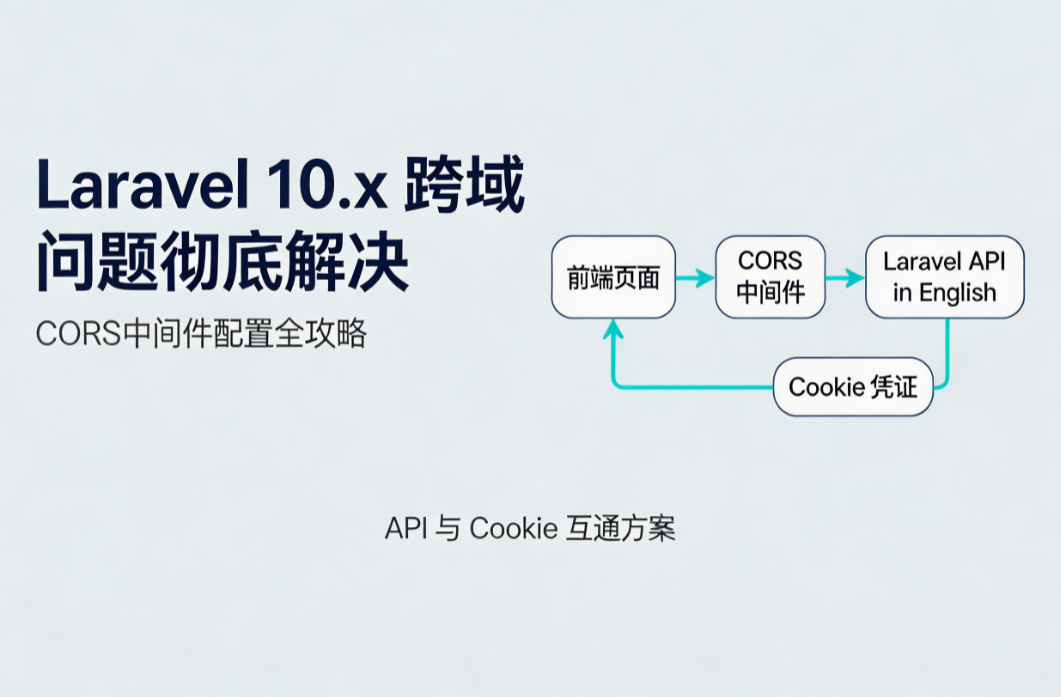
在前后端分离架构中,Laravel 作为后端 API 服务时常面临浏览器同源策略限制。本文详细讲解如何在 Laravel 10.x 版本中通过自定义中间件及官方 fruitcake/laravel-cors 包两种方式,系统化配置 CORS(跨域资源共享)。内容涵盖预检请求(Preflight Request)处理、携带 Cookie 认证、多域名白名单设置及常见报错排查,提供可直接复用的代码配置,助力快速解决跨域拦截问题。
引言
当前端应用(如 Vue.js、React 或纯 JavaScript)部署在 http://localhost:8080,而后端 Laravel API 部署在 http://api.example.com 时,浏览器出于安全考虑会默认拦截跨域请求。典型报错包括 No 'Access-Control-Allow-Origin' header is present 或 Response to preflight request doesn't pass access control check。正确配置 CORS 中间件是打通前后端数据交互的关键步骤。
一、 理解 CORS 核心响应头
在配置中间件前,需明确关键响应头含义:
-
Access-Control-Allow-Origin:指定允许访问资源的源(域名)。
-
Access-Control-Allow-Methods:指定允许的 HTTP 方法(GET, POST, PUT, DELETE 等)。
-
Access-Control-Allow-Headers:指定允许的请求头(Content-Type, Authorization, X-Requested-With)。
-
Access-Control-Allow-Credentials:布尔值,指示是否允许发送 Cookie。
-
Access-Control-Max-Age:预检请求的结果缓存时间(秒)。
二、 方案一:自定义 CORS 中间件(推荐用于学习原理)
-
创建中间件
执行 Artisan 命令:php artisan make:middleware CorsMiddleware -
编写中间件逻辑
编辑
app/Http/Middleware/CorsMiddleware.php:<?php namespace App\Http\Middleware; use Closure; use Illuminate\Http\Request; class CorsMiddleware { public function handle(Request $request, Closure $next) { // 处理预检请求 (OPTIONS) if ($request->isMethod('OPTIONS')) { $response = response('', 200); } else { $response = $next($request); } // 允许的前端域名,生产环境严禁使用 * $allowedOrigins = [ 'http://localhost:8080', 'https://admin.example.com' ]; $origin = $request->header('Origin'); if (in_array($origin, $allowedOrigins)) { $response->header('Access-Control-Allow-Origin', $origin); $response->header('Access-Control-Allow-Credentials', 'true'); } $response->header('Access-Control-Allow-Methods', 'GET, POST, PUT, DELETE, OPTIONS'); $response->header('Access-Control-Allow-Headers', 'Content-Type, Authorization, X-Requested-With, X-CSRF-TOKEN'); return $response; } } -
注册中间件
在
app/Http/Kernel.php的$middleware数组(全局中间件)中添加:protected $middleware = [ // ... 其他中间件 \App\Http\Middleware\CorsMiddleware::class, ];
三、 方案二:使用 fruitcake/laravel-cors 扩展包(推荐用于生产环境)
-
安装依赖
composer require fruitcake/laravel-cors -
发布配置文件
php artisan vendor:publish --tag="cors" -
配置
config/cors.php根据需求修改配置,以下为支持 Cookie 互通的配置示例:
<?php return [ 'paths' => ['api/*', 'sanctum/csrf-cookie'], 'allowed_methods' => ['*'], 'allowed_origins' => [ 'http://localhost:8080', 'https://admin.example.com' ], 'allowed_origins_patterns' => [], 'allowed_headers' => ['*'], 'exposed_headers' => [], 'max_age' => 86400, 'supports_credentials' => true, // 关键:允许发送 Cookie ]; -
全局应用
在
app/Http/Kernel.php中确保HandleCors中间件在全局生效:protected $middleware = [ // ... \Fruitcake\Cors\HandleCors::class, ];
四、 前端配合:Axios 携带 Cookie 配置
若后端开启了 supports_credentials,前端必须设置 withCredentials。
import axios from 'axios';

const service = axios.create({
  baseURL: 'http://api.example.com',
  withCredentials: true // 允许携带 Cookie
});
五、 常见问题排查
-
报错:
The value of the 'Access-Control-Allow-Origin' header ...原因:当
supports_credentials为true时,Access-Control-Allow-Origin不能为*。必须指定具体域名。 -
Cookie 无法保存
检查前端
withCredentials是否开启,以及后端域名配置是否包含前端当前访问的 Origin。 -
OPTIONS 请求 404
确保路由定义了
OPTIONS方法,或使用中间件全局捕获 OPTIONS 请求。
结尾
Laravel 跨域配置的核心在于正确处理 OPTIONS 预检请求及精准控制响应头。对于新项目,建议直接使用 fruitcake/laravel-cors 扩展包,配合清晰的域名白名单策略,既能保证安全性,又能提高开发效率。在生产环境部署时,务必将允许的域名从 localhost 切换为正式域名,避免因配置不当导致的安全漏洞。